How to install and use VPN Unlimited for Smart TV
Being a smart TV owner you definitely want to enjoy all of its features and potentials. However, lots of popular video channels and websites can be blocked in your region because of geo-restrictions. In such a case, VPN Unlimited is here to save your day. Download our best smart TV VPN and stream without restrictions now.
- Access any video content you want in HD-quality
- 7-day FREE trial
- Unique Lifetime Subscription plan
- 30-day money-back guarantee
- No CC required
Note: VPN Unlimited can be set up on a myriad of devices and platforms. If you are the happy owner of Samsung Smart TV we have a special guide for you. Get and set up your Samsung devices to bypass geographic restrictions and watch desirable content on the web with our comprehensive manual.
VPN Unlimited is compatible with:
- Samsung Smart TVs
- LG Smart TVs
- Sony Smart TVs
- VIZIO Smart TVs
- TCL Smart TVs
- Hisense Smart TVs
- RCA Smart TVs
- Philips Smart TVs
- Sharp Smart TVs
- DeVant Smart TVs
- Skyworth Smart TVs
- Hisense Smart TVs
- Panasonic Smart TVs
- Prestiz Smart TVs
- Sanyo Smart TVs
- Avision Smart TVs
- Toshiba Smart TVs
- Xtreme Smart TVs
- Coby Smart TVs
- Hanabishi Smart TVs
- JVC Smart TVs
- Xenon Smart TVs
- Xiaomi Smart TVs
3 steps to get started with VPN Unlimited on your smart TV

Download VPN Unlimited on your device

Share VPN connection over WiFi using your Mac OR Setup VPN Unlimited on your home router

Enjoy unlimited access to any wished video content on your Smart TV!
Why use VPN Unlimited for your smart TV

Access any geo-restricted content
It doesn’t matter where you are as VPN Unlimited allows you to unblock any photo, video, and music content on your smart TV from anywhere (Spotify, Max included)

Secure your internet traffic
Our VPN team has implemented a highly secure AES-256 encryption method to completely protect all your internet traffic

Watch video content in HD-quality
Thanks to our huge list of VPN servers, you get only the fastest VPN connection speed and so you can enjoy any movies and TV shows only in the best full-HD quality

Protect all your devices
You can protect an unlimited number of different devices on any platform with a VPN Unlimited subscription
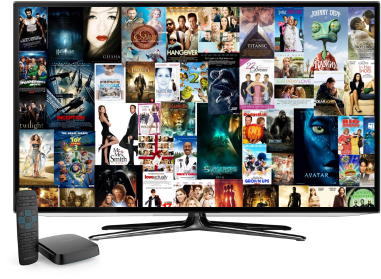
How to set up VPN Unlimited for smart TV
To access limitless video content on your smart TV wherever you are, you should install our VPN app. Our security software will help you to connect to any virtual location you need and pretend that you’re somewhere else. To top it off, your internet connection will be completely secured.
You can’t install VPN Unlimited on your smart TV directly. However, you have a few other approaches to setup our VPN app for your smart TV:
- Share VPN connection over WiFi via your MacBook
- Setup our VPN software on your home router
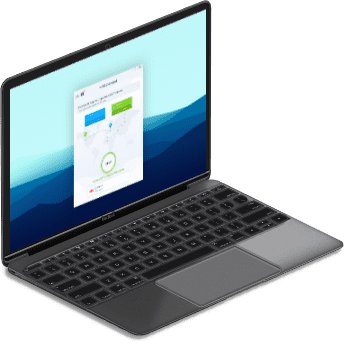
How to share VPN connection over WiFi via your MacBook
If you are a MacBook owner, you can easily setup a virtual hotspot manually. As a result, your MacBook will be turned into a router and all your internet traffic will be rerouted through it. All you have to do is to use the Network Sharing on Mac.
You can share internet on your Mac in the following way:
- Configure connection to a VPN server via L2TP/IPSec protocol
- Enable Internet Sharing itself
That’s it! Check out our detailed manual and share VPN connection with WiFi using Mac yourselves now.

How to set up VPN Unlimited on your home router
In case, if you have a router, you can also setup VPN on your home networking device. To top it off, you also encrypt your internet traffic and will be able to freely surf the web from any device connected to your router.
The process of VPN setup on your router can generally be described in the following way:
- Create VPN configuration files for OpenVPN or L2TP setup
- Configure OpenVPN or L2TP client for your home router
If you want to learn more about VPN setup exactly for your router, you can check out our manuals list and select the guide for your router model.