


How to Get the Most Out of Personal VPN Servers and Personal Static IPs
Personal static IP and Personal VPN server features of VPN Unlimited can easily become lifesavers for those in the know. But what exactly are their benefits? And how to claim them? Keep reading to find out!
How Your IP Address Threatens Your Privacy, and How VPN Servers Mitigate This
IP (Internet Protocol) address is assigned to your device when you connect to the internet. Among other things, this label is used to identify you in the network. This is where the pitfall lies - anyone knowing your IP address, knows everything about you:
- your geolocation and movement in real time
- your online activities
- sites you visit
- content you view
- services you use
- wares you buy, etc.
You’d probably agree that all this info isn’t something you’d like to see in the wrong hands, e.g. hackers, spies, or datasellers. However, this is just the tip of the iceberg. Modern-day technologies allow third parties to utilize all the mentioned data to:
- Learn your habits and preferences
- Build an extensive database on you for marketing and ad-targeting purposes
- Restrict your access to certain content based on your location (also called geo-blocking) or network rules
VPN servers are the solution to these issues. Once you connect to one, your real IP address becomes “masked” behind the IP of the VPN server. This is as far as anyone would be able to trace your activities. Using VPN servers , your real identity effectively becomes invisible to all observers.
How to Get Personal VPN Servers for VPN Unlimited
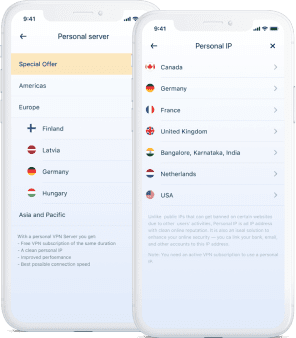
VPN Unlimited offers you over 40 personal VPN server locations to choose from. This means that you can easily find the server that best suits your needs. Want one located near you to minimize ping? No problem. Need a server in a specific country to unlock some local content? Easy!
To get a personal VPN server:
- Choose a personal VPN server and a subscription plan.
- Log in your VPN Unlimited account using your KeepSolid ID.
- Your new personal VPN server is now available in the app’s server list.