


How to Pay for VPN Unlimited with PayPal
Looking for a reliable Virtual Private Network service that accepts PayPal payments? You’ve already found it - meet VPN Unlimited! Our security solution provides users with top-notch protection on the internet, a list of extremely secure features, online data confidentiality, and a wide choice of the most convenient payment methods.
And, of course, VPN PayPal payments are included. To top it off, by paying for VPN with PayPal, you get 10% off any VPN Unlimited subscriptions. Sounds great, isn’t it?
Note: VPN Unlimited is also available as a part of the MonoDefense security bundle.
This guide contains step-by-step instructions on how to pay for VPN Unlimited with PayPal in two different ways:
- How to buy VPN with PayPal on our official website?
- How to complete PayPal VPN payment in your User Office?
Keep reading to check it all out!
How to Buy VPN Unlimited with PayPal on Our Official Website
1. Navigate to the VPN Unlimited website > Pricing.
2. Select your perfect VPN subscription.
manuals/image
3. Enter your email address
- If you already have a KeepSolid ID, just enter your email.
- If this email isn’t registered, your KeepSolid account will be automatically created after checkout.
More information about KeepSolid ID and why you need it, you can find on this page.
manuals/image
4. In the Payment method section, select PayPal to complete your purchase.
manuals/image
5. Log in to PayPal or create a PayPal account, then pay with a debit or credit card
On the PayPal screen, enter your PayPal-registered email and click Next. Then:
- If you have a PayPal account, enter your password and click Log In.
- If you don’t have an account, click Create account and follow the prompts.
- To check out as a guest without creating a PayPal account, click Pay with Debit or Credit Card and enter your card details.
manuals/image
6. Verify the payment summary displayed by PayPal and click Agree & Continue.
manuals/image
7. (New accounts only) Secure your account
Right after payment, you’ll be prompted to set a password for your new KeepSolid ID.
- To use our system-generated password, click Use this password.
- To create your own, click Create another password and enter a strong password.
- Finally, click Set password.
manuals/image
8. You’ll see a confirmation page - congratulations, your VPN is active! Explore additional perks like Personal Server, Static IP, and adding more devices.
manuals/image
How to Complete PayPal VPN Unlimited Payment in Your User Office
1. Navigate to the KeepSolid User Office.
2. Login or Create new KeepSolid ID:
- If you already have an account: enter your password and press Sign In
- If you don't have an account: enter your password twice to create a new KeepSolid ID
You can find more information about KeepSolid ID here.
manuals/image
- Check your inbox for the 6-digit verification code, enter it on the verification screen, and submit.
manuals/image
3. Open VPN Unlimited
- In the left menu, select Products.
- Under All Products, find VPN Unlimited and click Get Now (or go to VPN Unlimited → Manage → Personal Plan and click Get Now).
manuals/image
4. Select the billing cycle and plan you want, then click Continue to payment.
manuals/image
5. In the Payment method section, select PayPal to complete your purchase.
manuals/image
6. Log in to PayPal or create a PayPal account, then pay with a debit or credit card
On the PayPal screen, enter your PayPal-registered email and click Next. Then:
- If you have a PayPal account, enter your password and click Log In.
- If you don’t have an account, click Create account and follow the prompts.
- To check out as a guest without creating a PayPal account, click Pay with Debit or Credit Card and enter your card details.
manuals/image
7. Verify the payment summary and click Agree & Continue.
manuals/image
8. Great! The process of paying for VPN Unlimited with PayPal is completed.
Bottom Line on Paying for VPN with PayPal
From now on, you are aware of how to buy VPN with PayPal on our official website and in your KeepSolid User Office. However, if you still have any questions about VPN PayPal payments, feel free to contact us via support@keepsolid.com.
How to Pay for a VPN Using Other Payment Methods
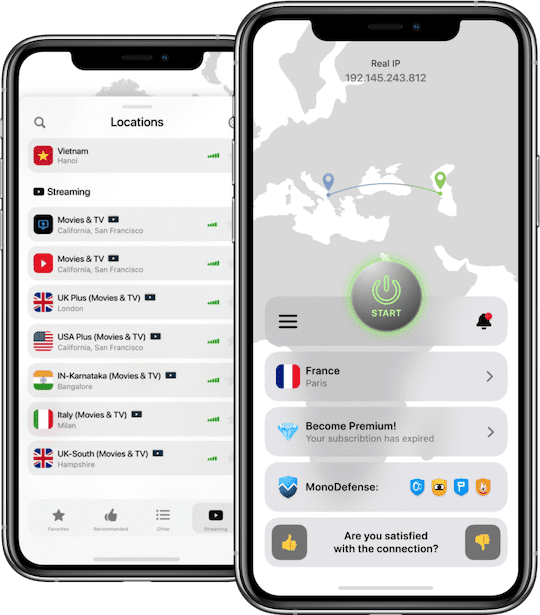
Reasons to Get Started with Our Reliable VPN Service
The first and foremost reason is top-notch online privacy. VPN Unlimited implements a bulletproof AES 256-bit encryption that scrambles both the incoming and outgoing traffic of your device and makes it look like gibberish for any third parties. Even if someone gets lucky to intercept your internet data, the only thing they can see is a bunch of encoded symbols. Therefore, you don’t have to worry about your online confidentiality and anonymity.
The next reason to get started with our Virtual Private Network solution is unrestricted access to the internet. Thanks to the 3000+ lightning-fast virtual servers and a set of reliable VPN protocols you can virtually travel anywhere and unlock any desired content. That is possible due to the IP masking feature. How does this feature work? As we are on the same page, websites and online applications deny access to some users because of their geo-position. Each time you connect to the virtual server, VPN Unlimited disguises your real IP address (and consequently geo-location) with the IP of the chosen virtual server. From now on, online services “talk” to the chosen VPN server. And the virtual server, in its turn, provides users with unlimited access to unblocked online content. Get started with VPN Unlimited right now and enjoy unrestricted web browsing with no time delays!