



How to Browse Anonymously on Mac with VPN Unlimited
Whenever you surf the web, stream, or shop online, lots of important information about you, your online activities, and your real location gets exposed. Such info is often collected and used by advertisers, ISPs, and even cybercriminals, who may further use it for their own purpose. This is why so many users are turning to the best VPN for Mac to do private browsing.
That’s where VPN Unlimited comes into play to protect your right for privacy and freedom on the internet. Check out this guide on the best VPN for Mac and learn how to:
- Browse anonymously on Mac
- Protect your private data and go incognito on Mac
- Bypass geo-restrictions and access blocked content
Why Use VPN Unlimited to Surf Anonymously on Mac
The major clue that unravels your anonymity on the web is your real IP address. The best VPN for Mac eliminates this issue by hiding your real IP and location. Once you connect to any VPN Unlimited server, your real IP address gets disguised with a virtual IP of a chosen server. As a result, your internet activities can no longer be traced back to you, allowing you to go incognito on Mac.
Besides, thanks to military-grade AES-256 encryption, VPN Unlimited ensures top-notch protection of sensitive data. So you can surf anonymously on your Mac without concern over your privacy, even on unsecured free public WiFi.
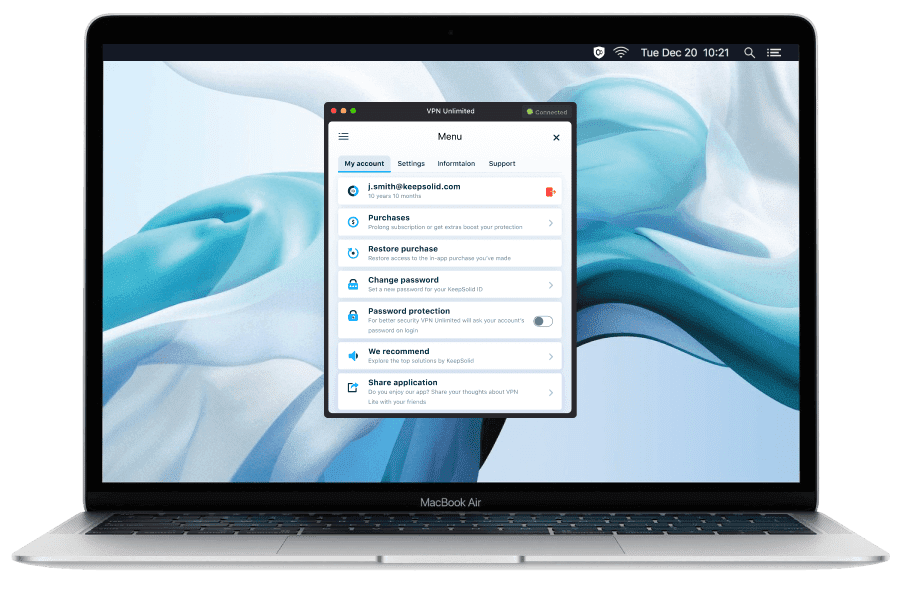
What you Get with VPN Unlimited for Mac
Anonymous browsing
VPN Unlimited hides your IP, disguises the real location, protecting you from prying eyes of your ISP, advertisers, cybercriminals, and more. Just enable VPN connection on your Mac and browse the web in complete anonymity!
Enhanced protection from cyberthreats
Thanks to bullet-proof encryption, VPN Unlimited reliably protects your traffic and shields your online activities from cybercriminals. Whatever sensitive data you send over the internet, you can be sure that it doesn’t fall into the wrong hands when your connection is secured with our VPN for Mac.
Unrestricted access to web content
With our VPN service for Mac, you can not only browse the web anonymously, but also access location-restricted web resources from anywhere in the world. The wide selection of VPN servers around the world and a the special KeepSolid Wise protocol opens up any doors on the internet for you.
No-Log VPN Service
We believe that everyone has a right to privacy on the web. And protection of your privacy is at the core of our service. That’s why we don’t keep logs of your browsing activities, granting you uncompromised anonymity as you surf the web on your Mac.
How to Start Browsing Anonymously on Mac
To learn more about how to install and use VPN Unlimited on your Mac, please go to Help - Manuals. If you need any help, please check our FAQ or contact our customer support team.
Features of the Best VPN for Anonymous Browsing on Mac

256-bit Data Encryption
Enjoy the highest level of encryption to protect your private information from cyber criminals, governments, and snoopers.

KeepSolid Wise Protocol
Our proprietary technology called KeepSolid Wise offers an additional level of encryption and obfuscation that guarantee extended privacy and access to content.

3000+ Servers in 80+ Locations
Such a global VPN server coverage ensures that you can go incognito on Mac and unblock your favorite content with VPN Unlimited from wherever you are.

Multi-Platform Support
Pay once – stay anonymous and protect your data on all your devices. Whether you have a laptop, PC, a tablet, or a mobile, VPN Unlimited supports them all.

High Speed & No Data Limits
Surf the web, stream media, download files, as a VPN Unlimited user, you are free to do whatever you want, without traffic or bandwidth limits.

Additional Services
Level up the privacy and protection with such extras as Personal VPN Server/ IP address, additional devices, and the possibility to set up VPN on your router.
How VPN Unlimited for Mac Works
Our best VPN for Mac creates a secure connection between your device and a VPN server. Usually, when you connect to the internet, at first the connection is established with your ISP, which then connects you to the websites you visit.
When you connect to a VPN service, it hides your IP and directs your internet traffic via a secure encrypted tunnel. This means that your ISP or other third parties can’t see what you’re doing online on your Mac, allowing you to go incognito and browser anonymously.
All in all, these 3 functions of a VPN service (encrypting your traffic, routing it via a remote server, and concealing your real IP) help you beef up your protection and anonymize browsing on your Mac. Download VPN Unlimited now and see for yourself!
Anonymous Browsing on Mac: Private Mode vs VPN Unlimited
Some users mistake Private mode (a.k.a. Incognito mode) for a way to surf anonymously on Mac. However, this is far from the truth. Whether you use Private Browsing in Safari or Incognito Mode in Google Chrome or other browsers, the benefits of such browsing are quite limited.
In Private/Incognito mode on Mac, the browser doesn’t save the following info:
- your browsing history
- cookies and other data
- information entered in forms
At the same time, in Private/Incognito mode your real IP remains visible to the websites you visit, your activities can still be monitored by your ISP and other parties, and your traffic remains unencrypted. Only with the best VPN for Mac can you fix all these issues and enjoy truly private and incognito browsing. Do check it out!
